


Essential WordPress plugins include Yoast SEO, WooCommerce, and Elementor. These plugins enhance SEO, e-commerce, and website design.
WordPress plugins are essential tools for any website, offering functionalities that enhance performance, design, and user experience. Yoast SEO helps optimize your content for search engines, making your site more discoverable. WooCommerce transforms your WordPress site into a fully functional e-commerce store, enabling you to sell products and services online.
Elementor is a powerful page builder that allows you to create custom layouts with ease, no coding required. These plugins, among others, provide the necessary features to elevate your WordPress website, making it more efficient, attractive, and user-friendly. Investing time in selecting the right plugins can significantly impact your site’s success.

Credit: w3speedup.com
Essential Plugins
WordPress plugins are powerful tools that enhance the functionality of your website. Essential plugins are a must-have for any WordPress site. They help with SEO, security, backups, and much more. Having the right plugins can make a significant difference in your website’s performance and user experience.
Seo Plugins
SEO plugins are crucial for boosting your website’s visibility on search engines. These plugins help you optimize your content, manage meta tags, and improve overall site performance. Here are some top SEO plugins:
- Yoast SEO: Offers features like keyword optimization, readability check, and meta description management.
- All in One SEO Pack: Provides XML sitemap support, social media integration, and Google Analytics tracking.
- SEMrush: Helps with keyword research, backlink analysis, and site audits.
Below is a comparison table of these plugins:
| Plugin | Features | Price |
|---|---|---|
| Yoast SEO | Keyword Optimization, Readability Check | Free/Premium |
| All in One SEO Pack | XML Sitemap, Social Media Integration | Free/Premium |
| SEMrush | Keyword Research, Site Audits | Premium |
Security Plugins
Security plugins protect your WordPress site from threats like malware, brute force attacks, and hacking attempts. These plugins ensure your site remains secure and trustworthy. Some essential security plugins include:
- Wordfence Security: Provides firewall protection, malware scanning, and login security.
- Sucuri Security: Offers security activity auditing, file integrity monitoring, and malware removal.
- iThemes Security: Focuses on identifying and fixing common security vulnerabilities.
Here’s a quick comparison of these security plugins:
| Plugin | Features | Price |
|---|---|---|
| Wordfence Security | Firewall, Malware Scanning | Free/Premium |
| Sucuri Security | Activity Auditing, Malware Removal | Free/Premium |
| iThemes Security | Vulnerability Fixing, Two-Factor Authentication | Free/Premium |
Backup Plugins
Backup plugins are vital for safeguarding your website’s data. These plugins ensure you can restore your site to a previous state in case of data loss or corruption. Key backup plugins include:
- UpdraftPlus: Allows scheduled backups, cloud storage options, and easy restoration.
- BackupBuddy: Offers complete site backups, remote storage, and site migration features.
- VaultPress: Provides real-time backups, automated restores, and security scanning.
Check out this comparison table for backup plugins:
| Plugin | Features | Price |
|---|---|---|
| UpdraftPlus | Scheduled Backups, Cloud Storage | Free/Premium |
| BackupBuddy | Complete Backups, Site Migration | Premium |
| VaultPress | Real-time Backups, Security Scanning | Premium |
Performance Optimization
WordPress plugins can supercharge your website with enhanced features. One crucial aspect is performance optimization, which ensures your site runs fast and smooth. A faster site improves user experience and boosts search engine rankings. Here, we explore the best plugins for caching, image optimization, and speed optimization.
Caching Plugins
Caching plugins create static versions of your web pages. This reduces the time needed to load pages for your visitors. Here are some popular caching plugins:
- WP Super Cache: Generates static HTML files from your dynamic WordPress blog. It supports various caching types and CDN integration.
- W3 Total Cache: Enhances user experience by improving server performance. It reduces download times and offers content delivery network integration.
- WP Rocket: User-friendly and powerful. It includes page caching, cache preloading, and static file compression.
Here’s a table to compare their key features:
| Plugin | Free Version | CDN Support | Ease of Use |
|---|---|---|---|
| WP Super Cache | Yes | Yes | Medium |
| W3 Total Cache | Yes | Yes | Complex |
| WP Rocket | No | Yes | Easy |
Image Optimization Plugins
Images can slow down your website. Image optimization plugins compress and resize images without losing quality. This speeds up your site. Top image optimization plugins include:
- Smush: Compresses images and reduces file size. It also offers lazy loading and bulk optimization.
- ShortPixel: Optimizes images and PDFs. It provides options for lossy, glossy, and lossless compression.
- Imagify: Easy to use and effective. It offers three levels of compression: normal, aggressive, and ultra.
Comparison of image optimization plugins:
| Plugin | Free Version | Bulk Optimization | Compression Levels |
|---|---|---|---|
| Smush | Yes | Yes | Single |
| ShortPixel | Yes | Yes | Three |
| Imagify | No | Yes | Three |
Speed Optimization Plugins
Speed optimization plugins help you fine-tune various aspects of your website to improve its load time. These plugins handle tasks such as minifying CSS, JavaScript, and HTML. They also optimize database performance. Key speed optimization plugins include:
- Perfmatters: Disables unnecessary features. It also optimizes scripts and enhances overall performance.
- Autoptimize: Combines and minifies scripts and styles. It also optimizes images and lazy-loads them.
- Asset CleanUp: Scans your site and identifies unnecessary assets. It allows you to disable them selectively.
Here’s how they compare:
| Plugin | Free Version | Script Optimization | Ease of Use |
|---|---|---|---|
| Perfmatters | No | Yes | Easy |
| Autoptimize | Yes | Yes | Medium |
| Asset CleanUp | Yes | Yes | Complex |
Content Creation And Management
Creating and managing content is crucial for any WordPress site. The right plugins can make this task easier. These plugins help you build pages, manage your content, and share it on social media platforms. They save time and ensure your site runs smoothly.
Page Builder Plugins
Page builder plugins are essential for creating stunning pages without coding. They offer drag-and-drop functionality, making it easy for anyone to design a site.
Elementor is one of the most popular page builders. It provides a user-friendly interface and a variety of widgets.
- Drag-and-drop editor: Simply drag elements and drop them where you want.
- Responsive design: Ensures your site looks great on all devices.
- Pre-made templates: Use templates to create pages quickly.
Beaver Builder is another excellent option. It offers similar features and is known for its clean code and stability.
- Live front-end editing: See your changes in real-time.
- Custom modules: Add unique elements to your pages.
- Theme builder: Customize your theme’s header, footer, and more.
Both plugins have free and premium versions. The premium versions unlock more features and support.
Content Management Plugins
Content management plugins help you organize and optimize your content. They ensure your site is easy to navigate and user-friendly.
Yoast SEO is a must-have plugin for content management. It helps you optimize your content for search engines.
- SEO analysis: Get real-time feedback on your content.
- Readability check: Ensure your content is easy to read.
- XML sitemaps: Automatically generate sitemaps for search engines.
Advanced Custom Fields (ACF) allows you to add custom fields to your posts and pages. This plugin is perfect for creating tailored content experiences.
- Custom field types: Add text, images, links, and more.
- Flexible content layout: Create complex layouts with ease.
- Developer-friendly: Easily extend the plugin with custom code.
Both plugins enhance your site’s content management capabilities, making it easier to maintain high-quality content.
Social Media Plugins
Social media plugins help you share your content across various platforms. They increase your site’s reach and engagement.
Social Warfare is a top choice for social media sharing. It provides attractive sharing buttons and advanced features.
- Customizable buttons: Match your site’s design.
- Share count recovery: Retrieve lost share counts during site changes.
- Click-to-Tweet: Create tweetable quotes within your content.
Monarch by Elegant Themes is another powerful plugin. It offers a variety of display options and analytics.
- Floating sidebar: Always visible sharing buttons.
- Inline buttons: Place buttons within your content.
- Pop-ups and fly-ins: Capture user attention with engaging pop-ups.
Both plugins support multiple social networks and provide detailed analytics. They help you track and improve your social media strategy.
Credit: www.isitwp.com
E-commerce Plugins
Creating a successful e-commerce site on WordPress requires the right plugins. These plugins help manage products, handle transactions, and ensure a smooth shopping experience. Let’s dive into the best e-commerce plugins for WordPress.
Woocommerce
WooCommerce is the most popular e-commerce plugin for WordPress. It powers over 28% of all online stores. It offers a range of features to create a fully functional online shop.
With WooCommerce, you can:
- Sell anything – from physical products to digital downloads.
- Manage inventory – track stock levels and backorders.
- Flexible shipping options – configure free shipping, local pickup, and flat rates.
- Payment options – accept major credit cards, bank transfers, and PayPal.
Here’s a quick comparison table of WooCommerce features:
| Feature | Description |
|---|---|
| Product Types | Simple, Grouped, Virtual, Downloadable |
| Payment Gateways | PayPal, Stripe, Square |
| Shipping Options | Flat Rate, Free Shipping, Local Pickup |
WooCommerce also integrates with various third-party services. These integrations include email marketing, accounting, and shipping solutions. This makes WooCommerce a versatile choice for any e-commerce business.
Easy Digital Downloads
Easy Digital Downloads (EDD) is perfect for selling digital products. If you sell e-books, software, or music, EDD is a great choice. It offers a streamlined checkout process tailored for digital sales.
Key features of Easy Digital Downloads include:
- Download management – track download activity and sales performance.
- Flexible pricing – set variable pricing for different versions or licenses.
- Discount codes – create and manage promotional discounts.
- Customer management – track customer activity and purchase history.
Here’s a breakdown of EDD features:
| Feature | Description |
|---|---|
| Product Types | Digital Goods |
| Payment Gateways | PayPal, Stripe, Amazon Payments |
| Discount Codes | Percentage or Flat Rate Discounts |
EDD also integrates with various extensions. These include email marketing tools, analytics platforms, and subscription services. This makes EDD highly customizable to fit your needs.
Payment Gateway Plugins
Payment Gateway Plugins are essential for processing transactions. These plugins connect your e-commerce site to payment processors. This allows you to accept payments securely.
Popular Payment Gateway Plugins include:
- Stripe – supports major credit and debit cards, Apple Pay, Google Pay.
- PayPal – widely used and trusted by customers worldwide.
- Square – integrates with WooCommerce for in-person and online sales.
Here’s a table summarizing payment gateway options:
| Plugin | Features |
|---|---|
| Stripe | Credit/Debit Cards, Mobile Payments |
| PayPal | Bank Transfers, Credit Cards |
| Square | In-Person Sales, Online Payments |
Using these plugins ensures secure and smooth transactions. They also offer fraud protection and customer support. Choose the right payment gateway to enhance your e-commerce site’s reliability.
Community And Engagement
Engaging with your audience is crucial for any website. Building a strong community can boost your site’s traffic and loyalty. WordPress offers numerous plugins to enhance community interaction and engagement. Let’s dive into some of the best plugins for community and engagement on your WordPress site.
Membership Plugins
Membership plugins help you create exclusive areas on your website. These areas are only accessible to registered users. This can increase user loyalty and engagement. Here are some top choices:
- MemberPress: Easy to set up and highly customizable. It supports content dripping, subscription management, and payment gateways.
- Restrict Content Pro: Great for managing members and access levels. It offers detailed reports and integrates with popular payment gateways.
- Paid Memberships Pro: A free plugin with premium features. It supports multiple membership levels and payment gateways.
Table of Features:
| Plugin | Key Features | Free/Paid |
|---|---|---|
| MemberPress | Content Dripping, Subscription Management, Payment Gateways | Paid |
| Restrict Content Pro | Member Management, Access Levels, Detailed Reports | Paid |
| Paid Memberships Pro | Multiple Membership Levels, Payment Gateways | Free/Paid |
Forum Plugins
Forum plugins allow users to communicate with each other. They can ask questions, share information, and build a sense of community. Here are some popular forum plugins:
- bbPress: Lightweight and easy to integrate. It is perfect for creating forums within your WordPress site.
- BuddyPress: Adds social networking features to your site. It supports user profiles, activity streams, and more.
- wpForo: A modern and responsive forum plugin. It offers various layouts and customization options.
Forum Plugin Features:
| Plugin | Key Features | Free/Paid |
|---|---|---|
| bbPress | Easy Integration, Lightweight, Forum Creation | Free |
| BuddyPress | User Profiles, Activity Streams, Social Networking | Free |
| wpForo | Responsive, Various Layouts, Customization Options | Free/Paid |
Commenting Plugins
Commenting plugins enhance user interaction by allowing visitors to leave comments. These plugins can improve the quality of discussions and engagement. Here are some top commenting plugins:
- Disqus: A popular plugin known for its rich features. It offers spam filtering, social media integration, and more.
- Jetpack Comments: Part of the Jetpack suite. It replaces the default WordPress comment system with a more robust one.
- wpDiscuz: A modern and interactive comment plugin. It supports real-time commenting and various layouts.
Commenting Plugin Features:
| Plugin | Key Features | Free/Paid |
|---|---|---|
| Disqus | Spam Filtering, Social Media Integration | Free/Paid |
| Jetpack Comments | Robust Comment System, Part of Jetpack | Free |
| wpDiscuz | Real-Time Commenting, Various Layouts | Free/Paid |
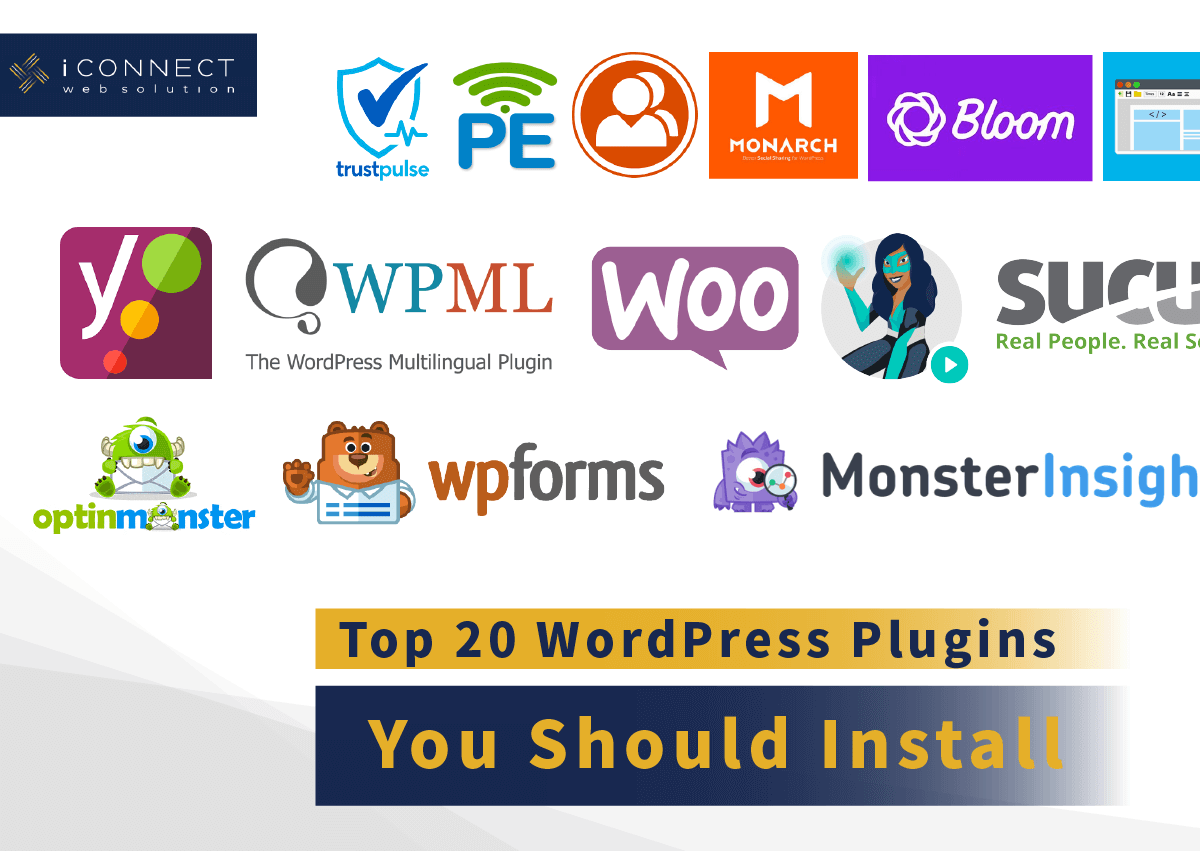
Credit: www.i-connectweb.com
Analytics And Tracking
Tracking your website’s performance is crucial for growth. With the right plugins, you can gain valuable insights into user behavior, site performance, and conversion rates. Let’s dive into the best WordPress plugins for analytics and tracking.
Google Analytics Plugins
Google Analytics is a powerful tool for understanding user behavior. Several plugins make it easy to integrate Google Analytics with WordPress. These plugins offer various features to help you track and analyze data.
MonsterInsights is one of the most popular plugins. It offers a user-friendly interface and advanced tracking options. With MonsterInsights, you can:
- View real-time stats
- Track eCommerce performance
- Monitor user behavior with enhanced link tracking
ExactMetrics is another excellent choice. It simplifies the Google Analytics setup process. ExactMetrics helps you:
- Analyze traffic sources
- Measure SEO performance
- Get detailed reports on user engagement
Both plugins offer free and premium versions. They provide in-depth insights that help you make data-driven decisions.
Heatmap Plugins
Heatmaps show where users click, scroll, and spend the most time on your site. These visual tools help you understand user behavior and optimize your site layout.
Hotjar is a top-rated heatmap plugin. It offers a suite of tools for tracking user interaction. With Hotjar, you can:
- Visualize clicks and taps
- Analyze scrolling behavior
- Collect user feedback with surveys
Crazy Egg is another popular option. It provides detailed heatmaps and other tracking tools. Crazy Egg helps you:
- Understand where users click
- Identify areas for improvement
- Create A/B tests to optimize your site
Heatmap plugins are essential for improving user experience. They provide actionable insights that help you enhance site design.
Conversion Tracking Plugins
Conversion tracking measures how well your site converts visitors into customers. Several plugins help you track and optimize conversions.
Google Analytics by Yoast is a popular choice. It integrates seamlessly with Google Analytics. This plugin allows you to:
- Track form submissions
- Measure click-through rates
- Monitor eCommerce transactions
WP Conversion Tracking is another excellent plugin. It offers advanced tracking features and easy setup. With WP Conversion Tracking, you can:
- Track ad campaigns
- Monitor email sign-ups
- Analyze user actions on your site
Conversion tracking plugins are vital for maximizing your site’s potential. They help you identify successful strategies and areas needing improvement.
Frequently Asked Questions
What Are The Must-have WordPress Plugins?
Must-have WordPress plugins include Yoast SEO, Akismet, and Elementor. Yoast SEO optimizes your site for search engines. Akismet protects against spam. Elementor helps create stunning web pages easily.
Which Plugin Boosts Website Speed?
WP Rocket significantly boosts website speed. It offers caching, lazy loading, and database optimization. This plugin is user-friendly and improves site performance.
How Can I Improve Seo With Plugins?
You can improve SEO using plugins like Yoast SEO or All in One SEO. These plugins offer keyword optimization, meta tags, and readability checks. They enhance your site’s search engine ranking.
What Security Plugins Should I Use?
Use Wordfence Security or Sucuri Security for robust website protection. They offer firewall, malware scanning, and login security. These plugins keep your WordPress site secure.
Conclusion
Choosing the best WordPress plugins can greatly enhance your website’s functionality and user experience. By selecting the right tools, you ensure optimal performance and security. Don’t forget to regularly update your plugins to keep everything running smoothly. Experiment with different options to find the perfect fit for your site’s needs.
