
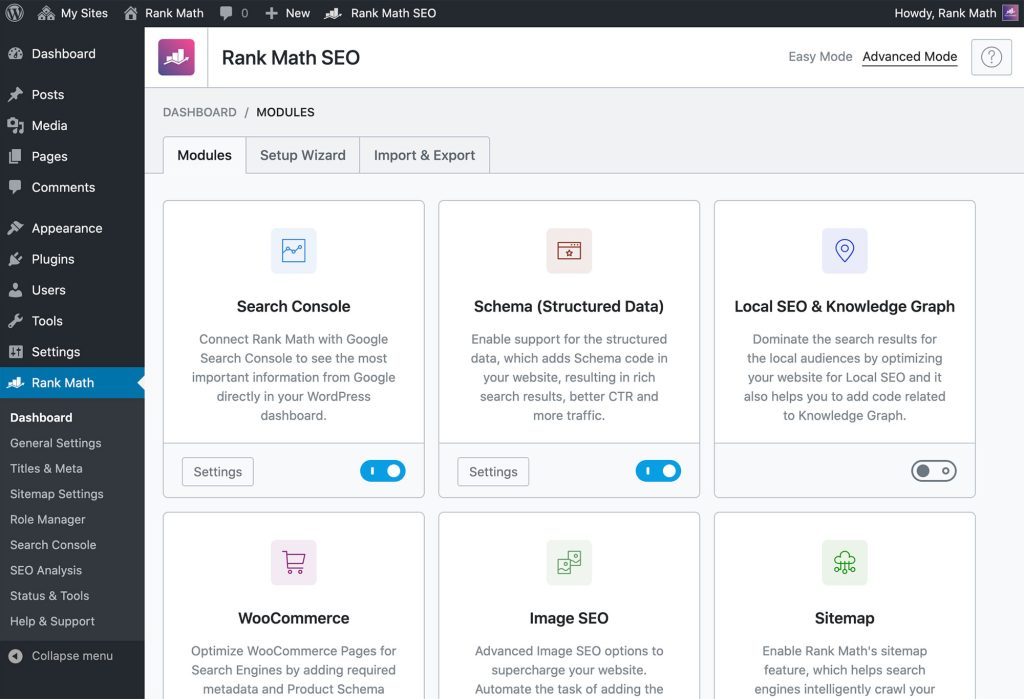
RankMath is a powerful SEO plugin for WordPress. It helps optimize your website for search engines and improves ranking.
RankMath offers a comprehensive suite of tools designed to enhance your website’s SEO performance. The plugin is user-friendly, making it accessible for beginners and experts alike. It integrates seamlessly with WordPress, allowing you to manage on-page SEO, keyword optimization, and technical SEO from one dashboard.
RankMath also provides detailed analytics and recommendations to boost your site’s visibility. With its rich feature set, including schema markup, local SEO, and link building, RankMath stands out as a valuable asset for any website owner aiming to achieve higher search engine rankings and increased organic traffic.
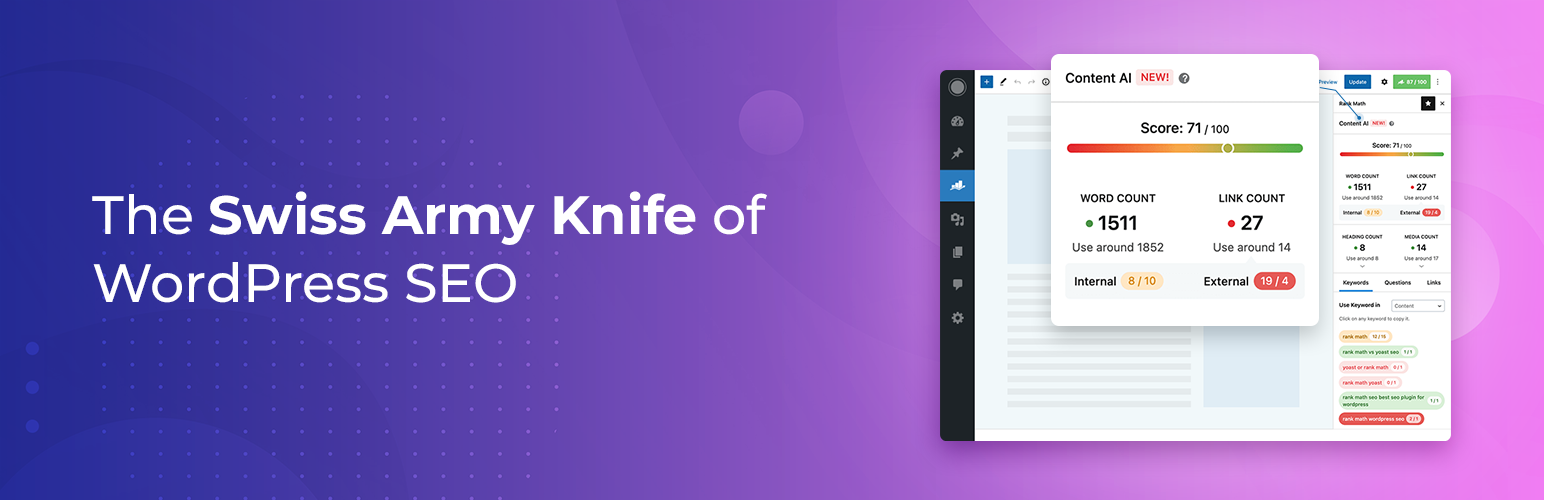
Credit: wordpress.org
Introduction To Rankmath Seo
Rankmath SEO is a powerful tool for website optimization. It helps websites rank higher on search engines. This plugin offers many features to improve your site’s SEO.
What Is Rankmath?
Rankmath is a popular WordPress plugin. It aids in search engine optimization. It provides tools for keyword analysis, content optimization, and more.
Rankmath is user-friendly. Even beginners can use it easily. It offers advanced features for SEO experts too.
Rankmath integrates well with other plugins. It supports popular themes and plugins seamlessly.
Benefits For Your Website
- Keyword Optimization: Rankmath helps you choose the best keywords.
- Content Analysis: It analyzes your content for SEO improvements.
- XML Sitemaps: It creates sitemaps for better indexing.
- Google Search Console Integration: Connects your site to Google Search Console.
- Local SEO: Optimizes your site for local searches.
- 404 Monitor: Tracks and fixes broken links.
Rankmath offers a detailed SEO analysis of your website. It suggests improvements to boost your rankings.
Rankmath provides built-in support for schema markup. This helps search engines understand your content better.
It also includes a redirection manager. This tool helps manage redirects easily.
Feature Comparison Table
| Feature | Rankmath | Other Plugins |
|---|---|---|
| Keyword Optimization | Yes | Varies |
| Content Analysis | Yes | Varies |
| XML Sitemaps | Yes | Varies |
| Google Search Console Integration | Yes | Varies |
| Local SEO | Yes | Varies |
| 404 Monitor | Yes | Varies |
Rankmath is a comprehensive SEO tool. It offers many benefits for website owners.
Setting Up Rankmath
Rankmath SEO Plugin is a powerful tool to enhance your website’s SEO. Setting it up correctly is crucial for optimal performance. This guide will walk you through the essential steps.
Installation Guide
First, you need to install the Rankmath plugin. Follow these steps:
- Go to your WordPress dashboard.
- Navigate to Plugins > Add New.
- Search for Rankmath in the search bar.
- Click Install Now.
- After installation, click Activate.
Initial Configuration
After activation, Rankmath will guide you through the initial setup. Follow these steps:
- Open the Rankmath setup wizard.
- Choose your site type: Personal Blog, Business, etc.
- Connect your Rankmath account (optional but recommended).
- Import SEO settings from another plugin, if available.
- Set up your website’s SEO title, description, and logo.
- Enable or disable features like 404 Monitor and Redirections.
- Click Save and Continue.
Here’s a quick overview of the basic configuration settings:
| Setting | Description |
|---|---|
| Site Type | Define your website’s purpose. |
| SEO Title | Your site’s main title for search engines. |
| SEO Description | A brief description of your site. |
| Logo | Your site’s logo for search results. |
Once these steps are complete, Rankmath will start optimizing your site. Enjoy better SEO performance with Rankmath!
Optimizing On-page Seo
The Rankmath SEO Plugin makes optimizing on-page SEO easy and effective. This plugin helps you improve your website’s visibility. You can enhance your content’s ranking on search engines.
Keyword Integration
Effective keyword integration is crucial for on-page SEO. Rankmath offers a user-friendly interface for this task. It helps you identify the best keywords for your content.
- Primary Keyword: Select the main keyword for your content.
- Secondary Keywords: Add related keywords to support the main keyword.
- Keyword Density: Ensure optimal usage of your keywords.
Rankmath provides real-time suggestions. These tips help you place keywords naturally. Your content remains readable and engaging.
Content Analysis
Rankmath’s content analysis feature offers detailed insights. It evaluates your content for SEO effectiveness.
| Aspect | Recommendation |
|---|---|
| Readability | Use short sentences and paragraphs. |
| Headings | Include keywords in H1, H2, and H3 tags. |
| Meta Description | Write a compelling meta description with keywords. |
Rankmath gives you a score based on these factors. The higher the score, the better your content’s SEO.
Using Rankmath, you can optimize your on-page SEO effectively. Your content will rank higher and attract more visitors.
Advanced Seo Features
The Rankmath SEO Plugin offers a range of advanced SEO features. These features help improve your site’s visibility and search engine ranking. Let’s explore some of these powerful tools.
Schema Markup
Schema Markup is a code that helps search engines understand your content. Rankmath makes adding schema markup simple. You can choose from a variety of schema types:
- Article
- Product
- Recipe
- Event
- Local Business
Schema Markup improves your site’s click-through rate. Search engines display rich snippets in search results.
Local Seo
If you run a local business, you need to optimize for local SEO. Rankmath provides tools to help your business show up in local searches. Here are some key features:
| Feature | Description |
|---|---|
| Google My Business Integration | Connect your site with Google My Business. |
| Local Keyword Optimization | Optimize your site for local keywords. |
| Business Schema Markup | Add local business schema to your site. |
These tools help you reach more local customers. Your business will rank higher in local search results.
Using Rankmath Analytics
Rankmath SEO Plugin offers powerful analytics tools. These tools help you track and improve your website’s performance. Using Rankmath Analytics, you can monitor various metrics. This helps in optimizing your SEO strategies effectively.
Performance Tracking
Performance tracking in Rankmath gives you insights into your website’s health. You can check page speed, bounce rate, and other critical metrics. These insights help you understand how users interact with your site.
- Page Speed
- Bounce Rate
- Visitor Session Duration
Analyze these metrics to improve user experience. A faster page speed can lead to higher rankings. Lower bounce rates indicate better content engagement. Rankmath provides detailed reports on these metrics.
| Metric | Importance |
|---|---|
| Page Speed | High |
| Bounce Rate | Medium |
| Session Duration | Low |
Keyword Ranking
With Rankmath, you can track your keyword rankings easily. This feature helps you understand which keywords perform best. You can then optimize your content around these keywords.
- Identify top-performing keywords
- Monitor keyword ranking changes
- Optimize content based on performance
Rankmath provides a keyword ranking dashboard. This dashboard shows the position of your keywords over time. You can also see how your competitors rank for the same keywords. This helps in making data-driven decisions for content optimization.
To sum up, using Rankmath Analytics for performance tracking and keyword ranking can boost your SEO efforts effectively.
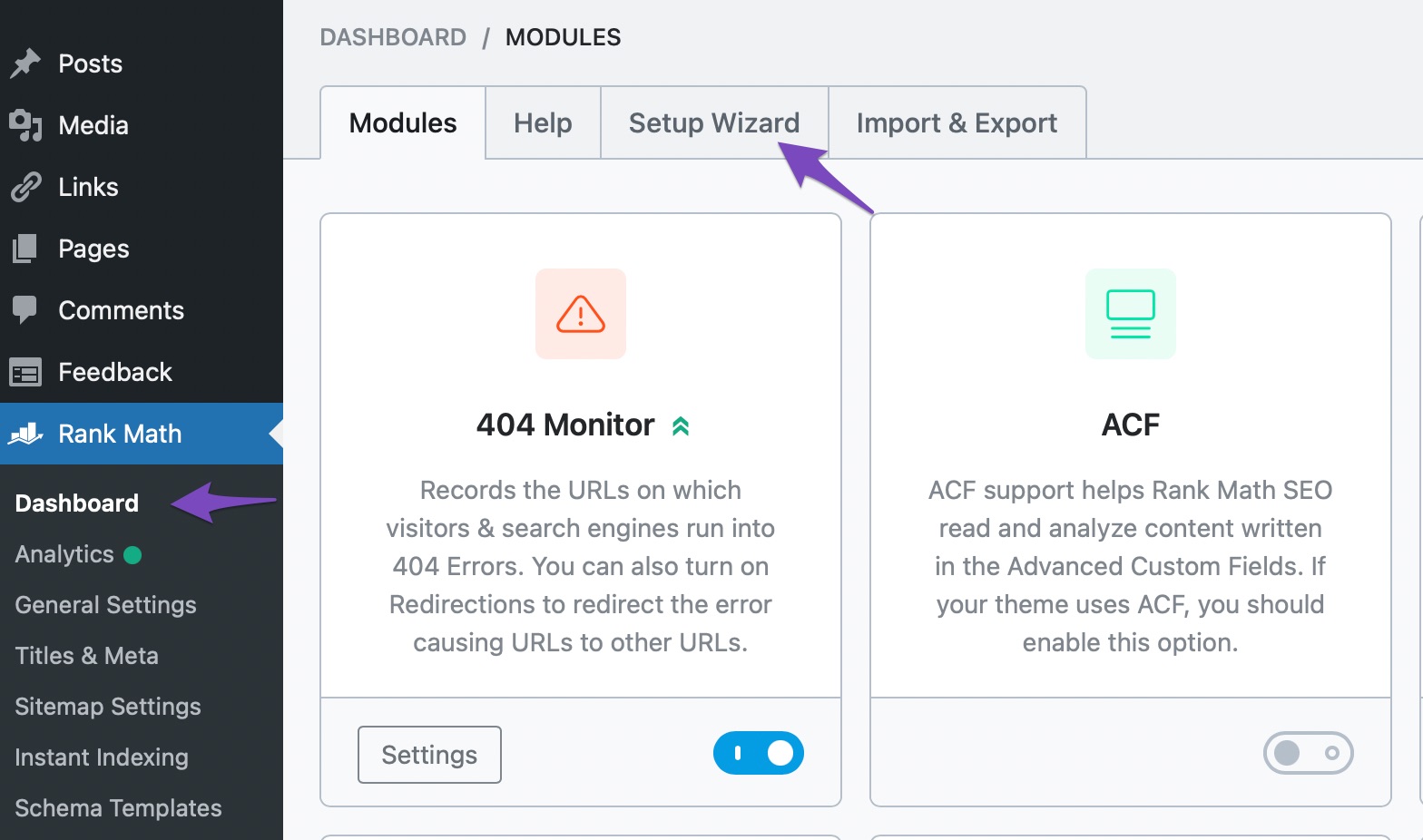
Credit: rankmath.com
Integrating With Google Tools
The Rankmath SEO Plugin makes it easy to connect with Google tools. This integration boosts your website’s performance. It helps in tracking and improving your SEO efforts.
Google Search Console
Connecting Rankmath with Google Search Console is simple. It gives you access to valuable data directly from your WordPress dashboard. Here’s how you can benefit:
- View search analytics within WordPress.
- Monitor keyword rankings easily.
- Get alerts for site issues quickly.
You can fetch data instantly. This ensures you stay updated on your site’s performance.
Google Analytics
Integrate Rankmath with Google Analytics to track user behavior. This helps in understanding how visitors interact with your website. Key benefits include:
- Monitor site traffic effectively.
- Analyze user engagement metrics.
- Identify popular content on your site.
This integration helps in making data-driven decisions. You can improve your site’s user experience based on real data.
| Feature | Benefit |
|---|---|
| Google Search Console | Access search analytics and keyword rankings. |
| Google Analytics | Track user behavior and engagement. |
Best Practices For Rankmath
Rankmath is a powerful SEO plugin for WordPress. It offers advanced features to optimize your website. To get the most out of Rankmath, follow these best practices.
Regular Updates
Ensure Rankmath is always up-to-date. Developers release new features and bug fixes regularly. Updating keeps your website secure and optimized.
Follow these steps to update:
- Go to your WordPress dashboard.
- Navigate to Plugins > Installed Plugins.
- Check for updates under Rankmath.
- Click Update Now if available.
Seo Audits
Conduct regular SEO audits using Rankmath. Audits help identify areas for improvement. They also ensure your website adheres to SEO best practices.
To perform an SEO audit:
- Open your WordPress dashboard.
- Go to Rankmath > SEO Analysis.
- Click Start Site-Wide Analysis.
- Review the results and fix any issues.
Focus on the following areas during your audit:
| Area | Description |
|---|---|
| Meta Tags | Ensure meta titles and descriptions are optimized. |
| Content | Check for keyword usage and readability. |
| Performance | Analyze page speed and load times. |
By following these best practices, you can maximize the benefits of Rankmath. Regular updates and SEO audits will keep your site performing at its best.
Troubleshooting Common Issues
Using Rankmath SEO Plugin can enhance your website’s performance. Occasionally, you might face some issues. Here, we will discuss how to fix common problems.
Error Fixes
Many users report encountering errors with Rankmath. Below are some common errors and their solutions:
- 404 Errors: Clear your website’s cache. This often resolves the issue.
- Plugin Conflicts: Deactivate other plugins one by one. Identify the conflicting plugin.
- XML Sitemap Issues: Re-generate the sitemap. Check your settings.
Support Resources
Rankmath offers various support resources to assist you. Here’s a table of the available resources:
| Resource | Description |
|---|---|
| Documentation | Detailed guides on using Rankmath. |
| Support Forum | Community support and solutions. |
| Video Tutorials | Step-by-step video guides. |
For more complex issues, contact Rankmath support directly. They are responsive and helpful.

Credit: www.elegantthemes.com
Frequently Asked Questions
What Is Rankmath Seo Plugin?
Rankmath SEO Plugin is a WordPress tool that helps optimize your website for search engines. It offers features like keyword analysis, content optimization, and advanced SEO settings.
How Does Rankmath Improve Seo?
Rankmath improves SEO by providing real-time content analysis and keyword optimization. It also offers advanced SEO settings like schema markup and sitemaps.
Is Rankmath Free To Use?
Yes, Rankmath offers a free version with essential SEO features. There is also a premium version with advanced tools and functionalities.
How To Install Rankmath On WordPress?
To install Rankmath, go to your WordPress dashboard. Navigate to Plugins > Add New, search for “Rankmath,” and click Install Now.
Conclusion
Rankmath SEO Plugin is a powerful tool for optimizing your website. It offers user-friendly features and comprehensive SEO insights. With Rankmath, you can improve your search engine rankings efficiently. Its ease of use makes it ideal for both beginners and experts.
Give Rankmath a try and watch your website soar.


