
Yoast SEO is a powerful WordPress plugin that helps optimize your website for search engines. It offers tools to enhance content readability and keyword usage.
Yoast SEO is a must-have for anyone serious about improving their website’s visibility on search engines. The plugin provides real-time feedback on content, ensuring your posts and pages are optimized for target keywords. It also offers suggestions for improving readability, making your content more engaging for readers.
With features like XML sitemaps, meta descriptions, and social media integration, Yoast SEO simplifies the complex aspects of SEO. The plugin is user-friendly, making it accessible even for beginners. By using Yoast SEO, you can boost your site’s ranking and attract more organic traffic.
Introduction To Yoast Seo
Are you new to SEO and want to improve your website’s visibility? The Yoast SEO plugin can help. This tool is essential for anyone looking to optimize their website. Let’s dive into what Yoast SEO is and why SEO is crucial.
What Is Yoast Seo?
Yoast SEO is a popular WordPress plugin. It helps you optimize your website for search engines. This tool guides you through the process. It ensures your content is search engine friendly.
Yoast SEO provides several features:
- Keyword optimization
- Readability check
- Meta description management
- XML sitemaps
- Breadcrumbs control
These features help you rank higher on search engines. They make your content easy to read and understand. This plugin is user-friendly and powerful.
Importance Of Seo For Websites
SEO stands for Search Engine Optimization. It is crucial for websites. It helps you attract organic traffic. Organic traffic means visitors who find your site through search engines.
Here are some benefits of SEO:
- Increased visibility: Higher search engine rankings mean more people see your site.
- Better user experience: SEO improves your site’s structure and content.
- Cost-effective: SEO is cheaper than paid advertising.
- Higher credibility: People trust search engines. Ranking high builds trust.
- Competitive edge: Good SEO can put you ahead of competitors.
SEO is not just for big businesses. Small websites benefit too. Yoast SEO makes it easy for everyone. Start optimizing your site today!
Installation And Setup
The Yoast SEO Plugin is a must-have tool for WordPress users. Its powerful features help optimize your website for search engines. This guide will walk you through its installation and setup process.
Installing Yoast Seo Plugin
Follow these steps to install the Yoast SEO Plugin:
- Log in to your WordPress dashboard.
- Navigate to the Plugins section.
- Click on Add New.
- In the search bar, type Yoast SEO.
- Find the plugin and click Install Now.
- After installation, click Activate.
Initial Configuration
Once the plugin is installed, you need to configure it. Here’s how:
- Go to the new SEO menu in the dashboard.
- Select General to start the configuration wizard.
- Follow the steps in the wizard:
- Environment: Choose Production or Development.
- Site Type: Select your website type.
- Company or Person: Specify if the site represents a company or person.
- Social Profiles: Add your social media links.
- Click Save Changes at the end of each step.
| Step | Description |
|---|---|
| 1 | Environment |
| 2 | Site Type |
| 3 | Company or Person |
| 4 | Social Profiles |
These steps ensure that your Yoast SEO Plugin is ready to use. Proper setup helps improve your site’s search engine visibility.
Key Features
The Yoast SEO Plugin offers many features to enhance your website’s SEO. These features help improve search engine rankings. Let’s explore some key features.
Content Analysis
The Content Analysis tool in Yoast SEO is powerful. It checks your content for SEO best practices.
- Keyword Optimization: Ensures the focus keyword is in the right places.
- Meta Descriptions: Helps create compelling meta descriptions.
- Image SEO: Checks if images have proper alt text.
These checks ensure your content is SEO-friendly and easy to find.
Xml Sitemaps
XML Sitemaps are essential for search engines to understand your site structure. Yoast SEO generates these automatically.
| Feature | Description |
|---|---|
| Auto-Generation | Creates sitemaps without manual effort. |
| Customizable | Allows customization of which pages are included. |
| Ping Search Engines | Notifies search engines of updates automatically. |
This helps search engines index your site efficiently.
Readability Check
The Readability Check ensures your content is easy to read. This feature uses various metrics.
- Flesch Reading Ease: Measures how easy your text is to read.
- Sentence Length: Checks if sentences are too long.
- Subheading Distribution: Ensures content is well-organized with subheadings.
These checks make your content accessible to a wider audience.
Credit: wpml.org
Optimizing Content
Optimizing content is crucial for better search engine rankings. The Yoast SEO plugin makes this process easier. Let’s explore key areas: Keyword Research, On-Page SEO, and Content Readability.
Keyword Research
Effective keyword research is vital for your content strategy. Yoast SEO helps you identify high-traffic keywords relevant to your topic.
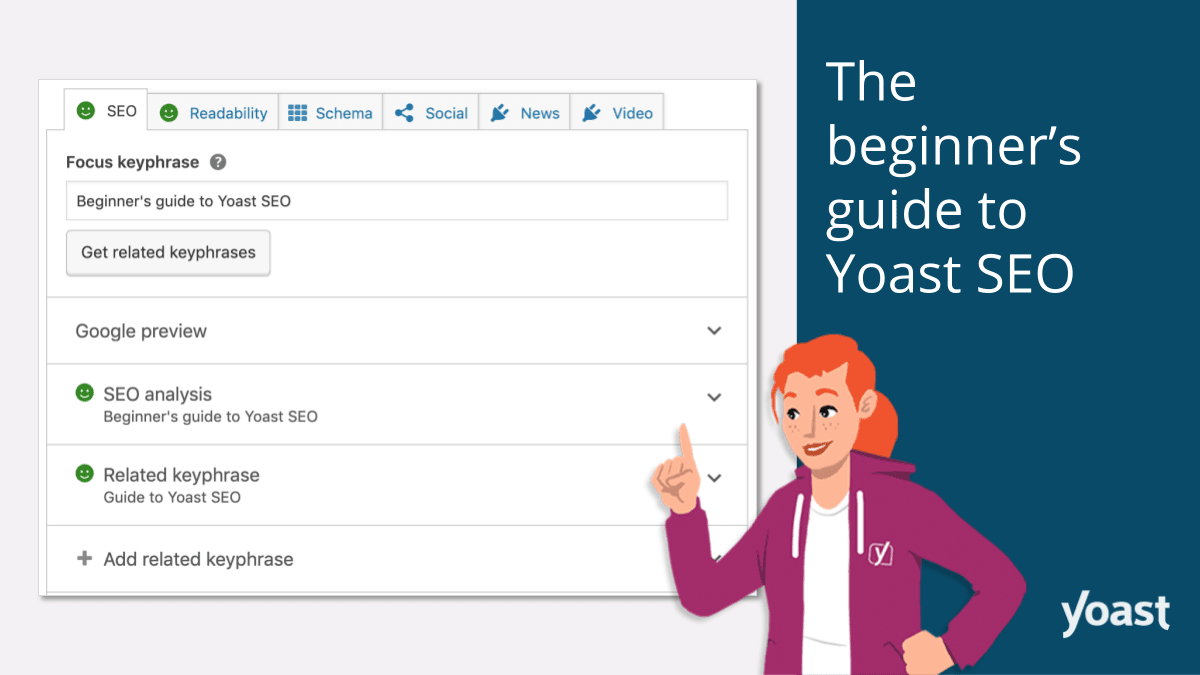
- Use the Focus Keyphrase feature to target specific keywords.
- Analyze keyword difficulty and search volume.
- Incorporate keywords naturally into your content.
Here’s a quick example of keyword usage:
| Keyword | Placement |
|---|---|
| Yoast SEO | Title, First Paragraph |
| Content Optimization | Subheadings, Body Text |
On-page Seo
On-page SEO refers to optimizing individual pages to rank higher. Yoast SEO provides actionable tips for on-page optimization.
- Ensure your meta descriptions are concise and include keywords.
- Use alt text for images.
- Optimize your URL structure.
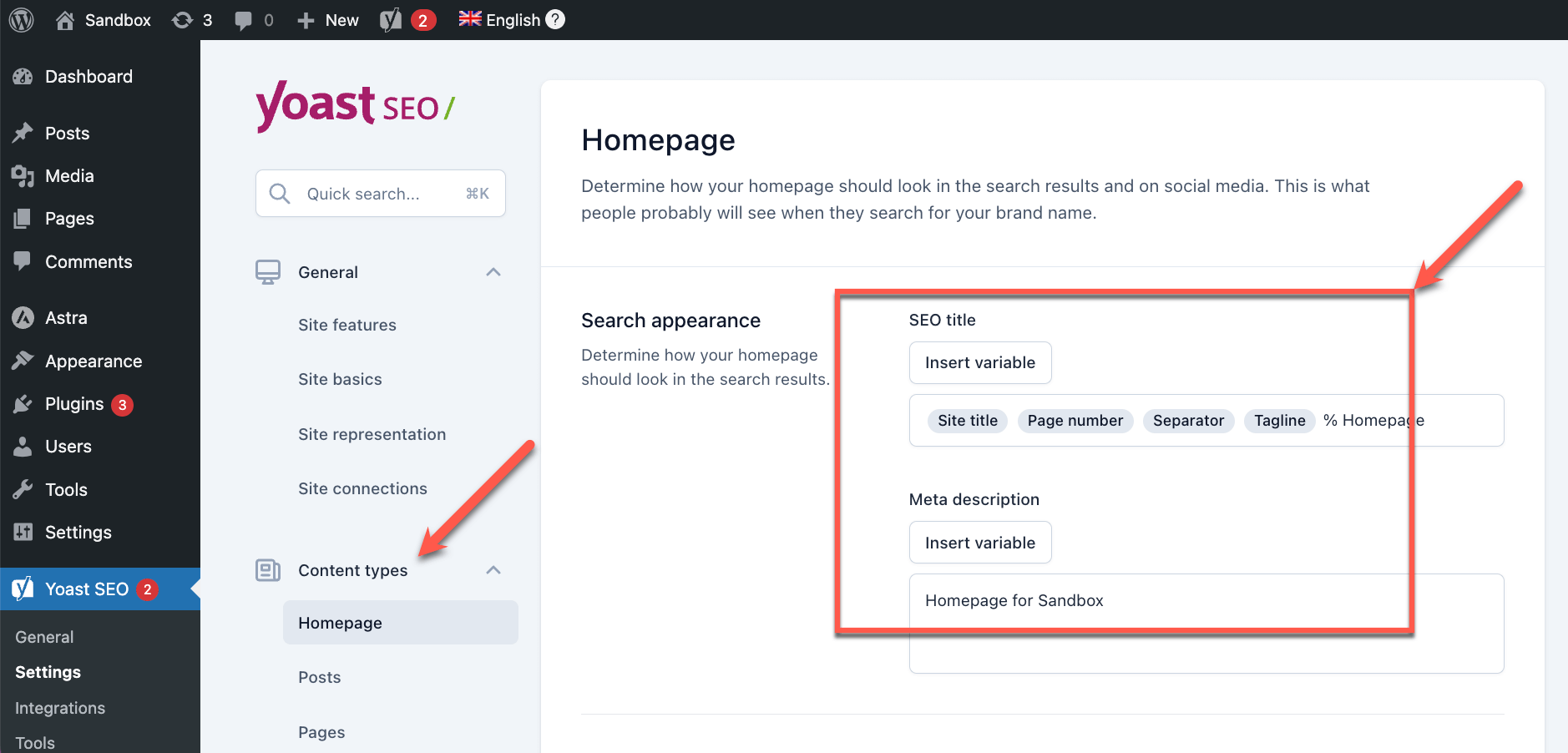
Check the SEO analysis tool in Yoast for real-time feedback. It highlights areas for improvement and shows a green light for well-optimized content.
Content Readability
Readability impacts how users interact with your content. Yoast SEO evaluates readability and offers suggestions.
- Use short sentences and paragraphs.
- Incorporate subheadings to break up text.
- Use transition words for better flow.
Here are some readability tips:
| Tip | Example |
|---|---|
| Short Sentences | Sentences under 12 words |
| Subheadings | Use H2, H3 tags |
Yoast’s readability analysis helps you achieve a good score, ensuring your content is easy to read and understand.
Advanced Settings
The Yoast SEO Plugin is a powerful tool for optimizing your website. Its advanced settings provide enhanced control over your site’s SEO. These settings help you fine-tune your SEO strategy for better search engine visibility.
Breadcrumbs
Breadcrumbs enhance navigation on your site. They help users understand their location within the site. This feature also improves your site’s structure for search engines. Enabling breadcrumbs in Yoast SEO is easy. Go to SEO > Search Appearance > Breadcrumbs. Here, you can enable and customize breadcrumbs to fit your theme.
| Setting | Description |
|---|---|
| Enable Breadcrumbs | Turn breadcrumbs on or off. |
| Separator | Choose a separator for breadcrumb links. |
| Anchor Text | Set the anchor text for the homepage. |
Canonical Urls
Canonical URLs prevent duplicate content issues. They tell search engines which URL is the master copy. This ensures your content is not penalized for duplication. To set canonical URLs, go to the Advanced tab in the Yoast SEO meta box on each page or post. Here, you can specify the canonical URL for your content.
- Open the Advanced tab.
- Locate the Canonical URL field.
- Enter the preferred URL.
Social Media Integration
Social media integration in Yoast SEO is crucial. It improves your content’s visibility on social platforms. You can set up social media metadata to enhance how your content appears when shared. To configure, go to SEO > Social. Here, you can add metadata for Facebook, Twitter, and other platforms.
- Navigate to SEO > Social.
- Fill in your social media profiles.
- Configure Open Graph and Twitter Cards.
These settings ensure your content looks great when shared on social media. This boosts your content’s reach and engagement.
Performance Tracking
Tracking your website’s performance is crucial for SEO success. The Yoast SEO plugin offers tools to monitor your site’s performance. This helps you understand what works and what needs improvement.
Google Analytics Integration
Yoast SEO easily integrates with Google Analytics. This integration helps you see valuable data about your website.
- Visitor Numbers: Track how many people visit your site.
- Page Views: See which pages get the most views.
- Traffic Sources: Find out where your visitors come from.
This information helps you know your audience better. You can then tailor your content to meet their needs.
Seo Performance Reports
Yoast SEO provides detailed SEO performance reports. These reports show how well your site ranks in search engines.
| Metric | Description |
|---|---|
| Keyword Rankings | Track how your keywords perform over time. |
| Organic Traffic | See the amount of traffic from search engines. |
| Backlink Analysis | Review the quality and quantity of your backlinks. |
These reports help you understand your site’s strengths and weaknesses. You can then make informed decisions to improve your SEO strategy.
Common Issues And Solutions
The Yoast SEO plugin is a powerful tool for optimizing your website. Sometimes, users encounter common issues. This section provides solutions to help you resolve these issues quickly.
Troubleshooting
Many users experience issues with the Yoast SEO plugin. Below are the most common problems and their solutions:
| Issue | Solution |
|---|---|
| Yoast SEO meta box not showing | Check user permissions and screen options. |
| XML sitemap not found | Ensure the sitemap feature is enabled in Yoast settings. |
| Conflicting plugins | Deactivate other plugins one by one to find the conflict. |
Best Practices
Follow these best practices to get the most out of the Yoast SEO plugin:
- Update Yoast SEO regularly. Keeping the plugin up-to-date ensures compatibility and new features.
- Use focus keywords wisely. Choose relevant and specific focus keywords for each page.
- Optimize meta descriptions. Create unique and compelling meta descriptions for better click-through rates.
- Monitor site health. Regularly check the Yoast SEO dashboard for any issues or suggestions.
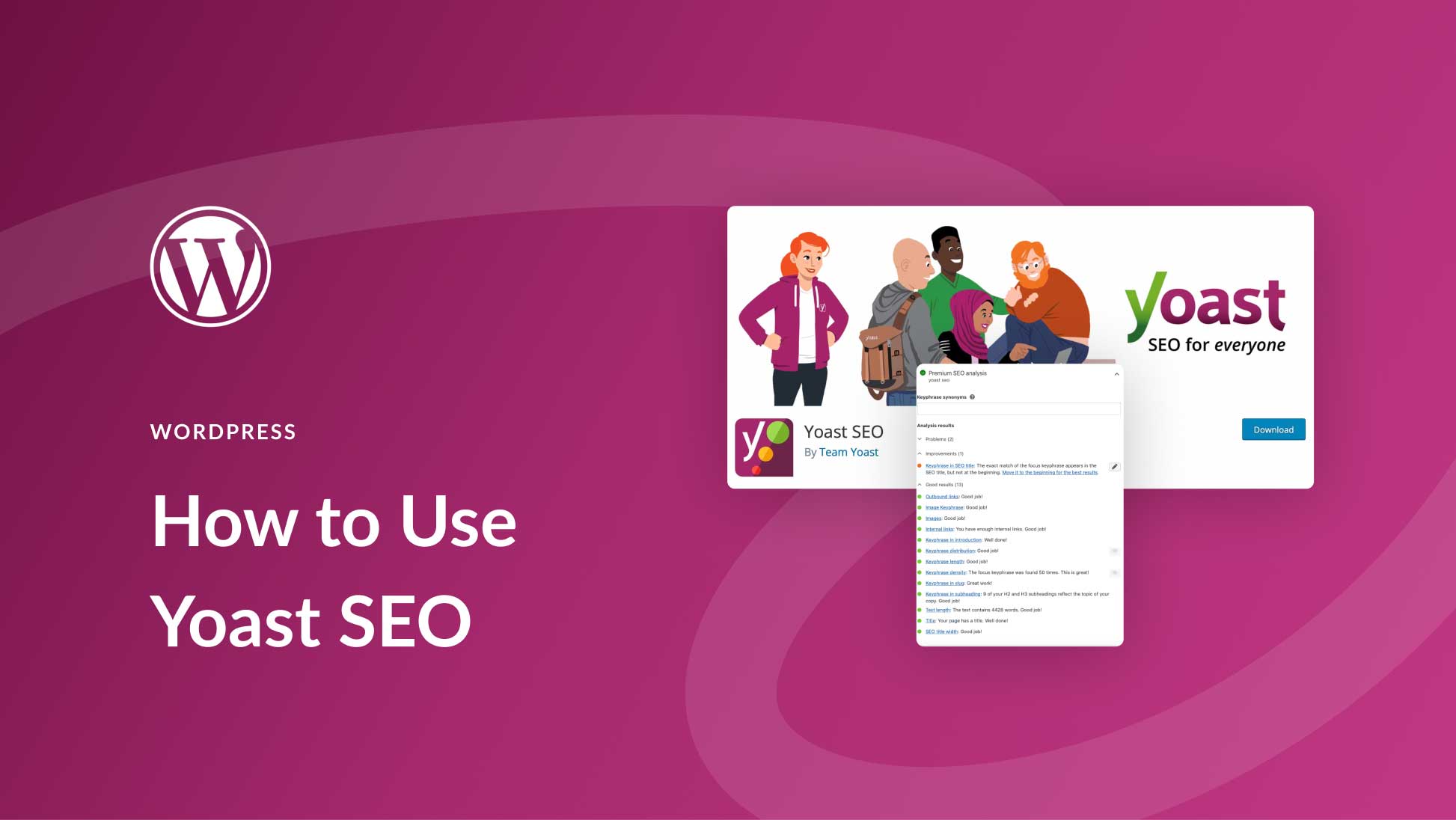
By addressing common issues and following these best practices, you can maximize the benefits of the Yoast SEO plugin for your website.
Credit: www.elegantthemes.com
Credit: yoast.com
Frequently Asked Questions
What Is Yoast Seo Plugin?
Yoast SEO Plugin is a WordPress tool designed to improve website SEO. It offers features like keyword optimization, readability analysis, and XML sitemaps to help websites rank higher in search engines.
How Does Yoast Seo Help With Keywords?
Yoast SEO helps you optimize your content for specific keywords. It provides suggestions and checks keyword density, ensuring your content is well-optimized for search engines.
Can Yoast Seo Improve My Site’s Readability?
Yes, Yoast SEO includes a readability analysis feature. It checks sentence length, paragraph structure, and transition words, ensuring your content is easy to read.
Is Yoast Seo Plugin Free?
Yoast SEO offers both free and premium versions. The free version includes essential SEO features, while the premium version offers advanced tools and support.
Conclusion
The Yoast SEO Plugin is essential for improving your website’s search engine performance. It offers user-friendly features and valuable insights. Enhance your content’s readability and SEO effortlessly with Yoast. Start optimizing today and see a noticeable improvement in your rankings.
Don’t miss out on this powerful tool for better website visibility.


